Flutter
Make the most of this cutting-edge technology by developing apps quickly! Our Flutter solutions have amazing features that can be used to create sleek, high-performance apps that can scale seamlessly across platforms.



We aim to build applications that excel in all aspects. We consider customer satisfaction as the best award we could receive. In that journey, we have been recognized multiple times for the exceptional products we deliver.
Faster work process

Customer Review on Google
Successful projects accross the world
We are a team of highly dedicated mobile app developers that build cutting-edge mobile applications with the latest technologies.
About us
We cater to dedicated and tailored app development to help companies expand and achieve new heights. We deliver great features focusing on the latest technological advancement.

Our expertise in hybrid application development in Kerala, comes by integrating our agile methodology. We are the leading experts in hybrid application development.

Our rank booster packages reap maximum results for ranking mobile apps higher in the highly competitive niche. We get ahead with a proper ASO strategy crafted under our years of ASO experience.

Our landing page creation in a faster mode connects seamlessly with popular marketing platforms. We build efficient landing pages that crush your revenue goals.
We are a team of highly dedicated mobile app developers that build cutting-edge mobile applications with the latest technologies.
View all Services
Make the most of this cutting-edge technology by developing apps quickly! Our Flutter solutions have amazing features that can be used to create sleek, high-performance apps that can scale seamlessly across platforms.

Explore the endless possibilities of mobile app development with our Figma services. Design compelling apps and refine your tech skills, all while leveraging cutting-edge tools to make a meaningful impact in the industry. Appzoc ensures a seamless user experience.

From startups to enterprises, we specialize in creating Android app development services that drive growth. Our team at Appzoc focuses on developing apps that provide an outstanding experience across all Android devices and wearables.

Node.js, for its high scalability, simplifies the mobile application process and is widely used for real-time applications with many open-source libraries and frameworks. The server-side and client-side switches are easy with Node.js. Node.js developers can constantly publish new code making the app possible as and when needed.
We are a team of highly dedicated mobile app developers that build cutting-edge mobile applications with the latest technologies.
View all Technologies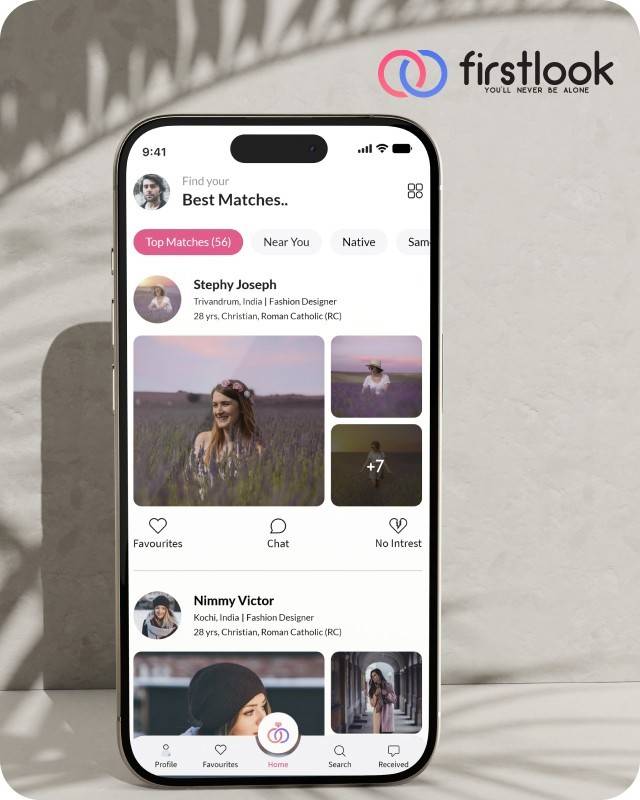
FirstLook Matrimony is a modern matchmaking app that helps you find your perfect life partner with personalized matches, easy chat options, and a secure platform built on trust.


Trustaurant is a travel-friendly food app that helps you discover and order from trusted restaurants nearby or along your journey, all in real-time.
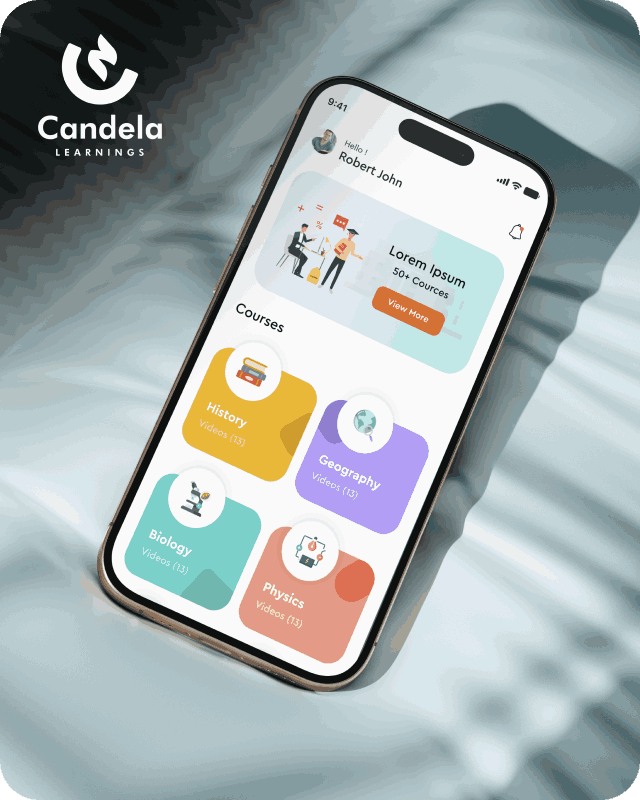
Candela Learnings is an engaging educational app offering interactive video courses in subjects like History, Geography, Biology, and Physics—all in one place.
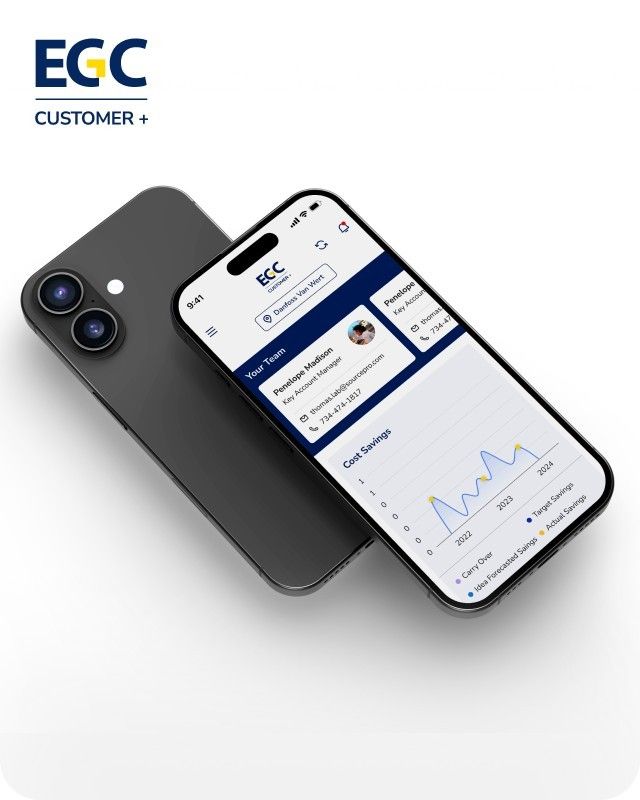
EGC Customer+ is a smart, user-friendly app designed to help you track cost savings, manage key contacts, and stay in control of your account performance—all in one place.
We are a team of highly dedicated mobile app developers that build cutting-edge mobile applications with the latest technologies.
View all WorksWe are a team of highly dedicated mobile app developers that build cutting-edge mobile applications with the latest technologies.
View more openings

 Z
Mobile App
Z
Mobile App
Have a mobile app development project collaborate on?
Contact Us Today!
Get your free audit
Our rank booster packages reap maximum results for ranking mobile apps higher in the highly competitive niche. We get ahead with a proper ASO strategy crafted under our years of ASO experience.
 App Store
 Play Store
Our landing page creation in a faster mode connects seamlessly with popular marketing platforms. We build efficient landing pages that crush your revenue goals.
 Flutter
Figma
Android
Flutter
Figma
Android
With us, indulge in growth-driven experiences that incorporate user-centric innovations. We create a measurable impact on business with our UI/UX design expertise and deliver excellent finishing.
Figma
We cater to dedicated and tailored app development to help companies expand and achieve new heights. We deliver great features focusing on the latest technological advancement.
 ios
Android
ios
Android
Our expertise in hybrid application development in Kerala, comes by integrating our agile methodology. We are the leading experts in hybrid application development.
Flutter

Our team is an expert in developing world-class apps and delivering remarkable digital experiences. The better tech experiences our team holds with cutting-edge technologies mitigate modern business challenges. Meet the trailblazers of tech who are epic talents dedicated to specific requirements to transform the way businesses engage.
Years of Experience
App Delivered
Industries Covered
Certified Professionals
Countries Served
Clients
Trending Apps
Global Brands
Explore our latest projects that lie as our testament to our commitment and discover our expertise in how we transform the experience. We unlock greater business value to meet a unified vision.
Know the diverse industry base we cater to with technical expertise and innovation. Unlock efficiency in any industry vertical with a robust mobile app development solution. Our versatile platforms are tailored to meet diverse industry needs.
The words of our esteemed clients for the exceptional app development. They exceeded expectations, and our application expertise has been an add-on towards the empowerment of businesses.

We would like to thank the entire Appzoc team for helping us with our LuLu Happiness App. They have been extremely helpful in every step of the way. They went beyond expectations while fulfilling every aspect in terms of quality.
Kiran Puthran
Mall Head at Lulu Group India
Appzoc is ready to guide you along each step with everything you need to know to find, qualify, implement, and launch your tech project. We ensure that your product is built, ready to adapt and grow with your business. We use tools and expertise to deliver results efficiently and a comprehensive blend of advanced technologies.
Our app projects start with creating custom visuals and the design process by discovering the value behind your brand. We focus on effective design and usability. They are integral in the app development process as they extend a measurable impact and undeniable influence on the digital landscape.
We are renowned in the mobile app development sector for our vast experience and the positive reviews from our previous clients on our expertise. We delve into client-oriented technology implementation sticking to the latest trends in the industry. Our expertise extends outstanding services and high-quality products.
Yes, using frameworks like Flutter or React, we put forward cross-platform development solutions as well. These frameworks will allow us to save resources, time, multiple platform deployments and most importantly in just a single code. Our dedicated team of experts deliver secure and high-quality solutions.
The update plan of each app is different. How often an app update is to be done depends on the issues the customer encounters and the new technology or feature your competitor has come up with. There is no standard approach to when an app needs to be updated. It entirely depends on the brand, customers, and industry.
Walk through our latest news and insight that clearly tells you how the ideas flourish. Explore the leading tech-powered triumphs on a detailed note from concept to conclusion.
Apple released iOS 27 on 14 September 2026. Apps built months earlier may now need testing and updates to work properly with the new operating system. Without a maintenance budget, even a small issue can become an unexpected expense. Apple releases a new version of iOS every year. Businesses often budget for app development but overlook the cost of maintaining the app after launch. This guide explains how to estimate iOS app maintenance costs. It covers Apple’s release schedule, developer time, third-party software, hosting, and unexpected fixes. You can use these points to prepare an annual budget with your development team. How Much Does iOS App Maintenance Cost? There is no fixed price for every app. The cost depends on the app’s size, complexity, technology, and usage. Common expenses include testing against new iOS versions, updating development tools, maintaining third-party software, paying for servers, and fixing bugs. Apps with complex features or large user bases may need more ongoing support. To estimate your costs, ask your developer to list the maintenance tasks, the hours required, and the hourly rate. Add recurring fees and a reserve for unexpected work. What Does iOS App Maintenance Cover? IOS app maintenance includes the work needed to keep an existing app secure, stable, and compatible with supported devices and software. It can include: Fixing bugs and crashes. Testing compatibility with new iOS versions. Updating the app with Apple’s current development tools. Updating third-party libraries and software development kits (SDKs). Applying security updates. Monitoring app performance. Maintaining servers, databases, and other backend services. New features are usually estimated separately because they involve additional development work. Why App Maintenance Often Gets Overlooked Businesses can see the results of app development when a new product launches. Maintenance is less visible because much of the work happens behind the scenes. However, Apple’s requirements and software updates continue to change. Developers need to keep apps compatible and make sure they can submit updates when necessary. Here are two important dates businesses should know: iOS 27 release: Apple released iOS 27 on 14 September 2026. Testing during the beta period can help developers identify compatibility issues before the public release. App submission requirements: Since 28 April 2026, Apple has required apps uploaded to App Store Connect to be built with Xcode 26 or later and an iOS 26 SDK or later. Apple also requires developers to provide approved reasons for using certain APIs. These requirements can apply to APIs used by third-party SDKs as well. An app may continue running on existing devices but still need development work before its next update can be submitted. This is one reason to include maintenance in your annual budget. What Goes Into an iOS App Maintenance Budget? 1. Beta Testing and Release Support Apple’s beta releases give developers an opportunity to test apps against upcoming iOS versions. Testing early can help identify problems with app screens, permissions, notifications, and other features. Plan testing time between the first developer beta and the public release, usually during the summer months. Your developer can estimate the hours needed based on the app’s features and supported devices. You can also refer to our iOS 27 guide for features and changes worth reviewing during testing. 2. Annual Development Tool Updates Apple periodically updates the tools and SDKs required to submit apps to the App Store. Your developer may need to update the project, resolve compatibility issues, and test the app before submitting a new version. For example, Apple’s April 2026 requirement introduced a minimum of Xcode 26 and the iOS 26 SDK for App Store Connect uploads. Set aside developer hours for these updates each year. The amount of work will depend on how old the project is and how easily it can be updated. 3. Third-Party SDKs and Libraries Many apps use third-party software for payments, analytics, maps, notifications, and other features. These libraries need updates to remain compatible with current software and security requirements. If a provider stops supporting a library, your developer may need to replace it. Ask your developer to list the main dependencies, check their support status, and estimate the cost of updating or replacing them. 4. Apple Developer Program Membership Businesses distributing apps through the App Store need an Apple Developer Program membership. Apple lists the standard membership fee as US$99 per year, although the amount charged may vary by region. The business should ideally own and control its developer account. Enrolling as an organisation can also help keep app ownership separate from an individual developer or agency. Include the annual membership fee in your budget and confirm the current price with Apple. 5. Backend and Hosting Costs Many iOS apps rely on servers, databases, cloud storage, payment services, or push notification services. These costs can recur every month. They may also increase as the number of users, transactions, and stored files grows. Ask your developer to separate hosting and third-party service fees from development charges. This will help you understand which costs are fixed and which may increase with usage. 6. Monitoring and Bug Fixes App monitoring helps developers identify crashes, slow screens, and other problems. However, reports still need to be reviewed and acted on. Set aside monthly hours for checking crash reports, investigating issues, and releasing fixes when required. The number of hours will depend on the app’s stability, user activity, and support requirements. 7. A Budget for Unexpected Work Some issues cannot be predicted in advance. An SDK may stop working, a server may need an urgent update, or a software change may affect an existing feature. Keep a reserve for these situations. Agree on the amount with your developer and document when the reserve can be used. How to Calculate Your Annual iOS App Maintenance Costs You can estimate the annual cost using four steps. Estimate developer hours: Ask for the expected hours for testing, updates, monitoring, bug fixes, and other maintenance tasks. Calculate development charges: Multiply the estimated hours by the developer’s hourly rate. Add recurring expenses: Include Apple Developer Program membership, hosting, and any third-party service fees. Add a reserve: Set aside an additional amount for unexpected work. Your calculation will look like this: Annual maintenance budget = Developer charges + Recurring fees + Reserve For example, if your developer estimates 100 hours of work at ₹1,500 per hour, the development cost would be ₹1,50,000. You would then add your actual annual hosting and service fees, membership fee, and contingency reserve. This is only an example, not a standard maintenance price. Your actual budget will depend on your app and support needs. Compare this estimate with any maintenance package or retainer offered by your developer. Check what is included, what is billed separately, and whether unused hours carry forward. Where App Maintenance Costs Can Increase A few common problems can make maintenance more expensive than expected. Skipping updates: Delaying maintenance can leave more compatibility issues to resolve later. An older app may need additional work before it can be updated and submitted. Ignoring crash reports: When problems go unnoticed, users may experience them before the development team identifies the cause. Unclear account ownership: If an agency controls your Apple Developer account or code repository, transferring the project to another team may become more complicated. Supporting different markets: Apps available in several countries may need additional testing for languages, regional settings, payment methods, and local requirements. Regular maintenance can help businesses identify these issues earlier and plan the cost of fixing them. Three Questions to Ask Before Signing a Maintenance Contract Before choosing a developer, ask these three questions: Which iOS beta versions do you test, and when does testing begin? Will our business own the Apple Developer account and source code repository? How will you charge for third-party SDK updates or replacements? Ask for clear answers in writing. The contract should explain the work included in the maintenance plan, the response time for urgent issues, and how additional work will be charged. Businesses searching for the best mobile app development company should ask the same questions of every shortlisted provider. Compare the scope of support and the estimated costs, rather than choosing based on the initial development quote alone. Working with the same team for development and maintenance can also help. The team already understands the app’s code and design decisions, which may reduce the time needed to investigate issues. If you change providers, allow time for the new team to review the code and development setup. Businesses looking for iOS app development in Kerala can consider Appzoc, a Kochi-based team offering native iOS app development using Swift. When discussing a project, ask about its post-launch support, bug fixes, performance monitoring, and update plans. Conclusion iOS app maintenance is an ongoing cost, not a one-time expense. Annual software updates, bug fixes, third-party dependencies, and hosting can all affect your budget. Estimate these costs before launch and review them each year. A clear maintenance plan helps your business prepare for updates, address issues sooner, and manage app expenses more effectively. Request a free audit from Appzoc to understand your app’s maintenance needs. Email Info@appzoc.com with your app’s name, the iOS versions you support, and details of your hosting setup. Ask for an estimate that separates developer hours, recurring fees, and the reserve for unexpected work.
Your developer suggests moving your app to Jetpack Compose. Your existing app works, receives updates, and earns money. So, is switching to a new UI toolkit worth the cost? The answer depends on your app, your team, and your plans for future development. Jetpack Compose is Google’s recommended toolkit for building new Android user interfaces. However, that does not mean every existing XML-based app needs a complete rewrite. For new apps, Compose is a strong choice. If your existing XML app works well, you can keep it running and build new screens with Compose. You can then migrate older screens when you need to update them. This guide explains the differences between Jetpack Compose and XML, the costs of migration, and how to choose the right approach for your business. What Is the Difference Between Jetpack Compose and XML? Jetpack Compose for Android is a modern toolkit for building native user interfaces with Kotlin. Developers describe how a screen should look based on the current app state. When that state changes, Compose updates the interface as needed. Traditional XML layouts in Android use XML files to define the screen’s layout. Developers then use Kotlin or Java code to find and update views as the app’s data changes. Both approaches can build functional Android apps. However, Compose reduces the need to maintain separate layout files and UI update code for many common tasks. Google recommends Compose for new UI development while continuing to support existing View-based workflows. Businesses can choose an approach based on their current app and development needs. Where Jetpack Compose Helps Jetpack Compose offers several benefits for Android development. Live previews: Android Studio lets developers preview Compose screens while writing code, making it easier to review layout changes. Flexible layouts: Compose supports adaptive interfaces for phones, tablets, and foldable devices. Related technologies also support other Android device types. Accessibility and testing: Compose provides semantics that accessibility services and testing tools can use to understand the interface. Reusable components: Developers can create reusable UI components and apply them across multiple screens. Faster UI development: Compose can reduce the amount of code needed to build and maintain many interfaces. Performance is another important consideration. Google’s benchmarks show that Compose 1.9 and later can match Views in scrolling smoothness in the tested scenarios. Actual results still depend on how the app is built and how its interface is implemented. Where Jetpack Compose Can Add Costs Although Compose can simplify UI development, adopting it requires planning and developer time. 1. Learning Kotlin and state management Developers experienced with XML and Java may need time to learn Kotlin and Compose’s state-based approach. This can affect development speed during the initial stages. 2. Testing performance correctly Debug builds can perform differently from release builds. Google recommends testing performance in release mode with R8 enabled. Baseline Profiles can also improve app startup and interaction performance. Before comparing Compose with XML, test both implementations under similar conditions on real devices. 3. Maintaining two UI systems During a gradual migration, the app may contain both XML layouts and Compose screens. Developers need to understand how the two systems work together, which can add complexity until more of the UI has been migrated. 4. Updating tests Migrated screens need appropriate UI and integration tests. Your team may need to update existing tests or write new ones to check navigation, screen states, accessibility, and user interactions. These costs do not mean Compose is a poor choice. They mean the migration should have a clear purpose and a realistic budget. Jetpack Compose vs XML: Which Should You Choose? The right choice depends on your app’s current condition and future plans. For a new Android app: Choose Compose for most new projects. It is Google’s recommended toolkit and can reduce the amount of UI code your team needs to maintain. For an existing XML app that works well: Keep the current screens if they meet your business needs. Use Compose for new features and consider migrating older screens when you update them. For a team that mainly uses Java: Assess the team’s Kotlin experience before starting. Allow time for training and a small pilot project. For apps supporting multiple device types: Consider Compose for its adaptive UI capabilities. The right implementation will still depend on the devices and layouts your app needs to support. Before deciding, ask your developer these four questions: How many screens does the app have? Which screens are likely to change in the next few months? Does the team have experience with Kotlin and Jetpack Compose? Does the team test performance using release builds on real devices? If your app needs frequent UI changes and your team is comfortable with Kotlin, adopting Compose may make sense. If the existing screens are stable and the team mainly works with Java, a gradual transition may be more practical. There is no need to migrate every screen simply because a newer toolkit is available. How to Move an XML App to Compose Without Delaying Releases Rewriting an entire app can take considerable time and may delay other planned features. Google recommends an incremental migration, allowing Compose and existing Views to work together in the same codebase. You can approach the migration in four steps. Build new screens with Compose: Start with new features rather than rewriting screens that already work well. Add Compose to existing XML screens: Use ComposeView to display Compose content within an existing View-based layout. You can also host Compose content inside a Fragment. Migrate existing screens gradually: Replace screens one at a time, or move individual components when you are already updating a screen. Review navigation when needed: You can continue using Fragment-based navigation while Compose and Views coexist. Moving to Navigation Compose is a separate step that becomes relevant when the app’s navigation destinations have been migrated to composable screens. Start with a low-risk screen, such as settings or a profile page. Test the new implementation before moving to more important screens, such as checkout or payments. This approach allows your team to release improvements in stages instead of waiting for a complete rewrite. Native mobile app development involves more than choosing a UI toolkit. Architecture, backend services, testing, security, and the release process also affect the cost and long-term maintenance of an app. Review your development plans before deciding. If you have several new screens planned for the next quarter, building them in Compose may be a sensible starting point. If the next release only needs a small bug fix, changing the UI toolkit may not be necessary. In either case, test the app on real devices and measure performance using release builds before making a final decision. Appzoc is an Android app development company in Kerala, based in Kochi. The team provides native Android app development, UI/UX design, App Landing Page Design, and maintenance. If you are considering Compose for an existing app, discuss your current screens and future requirements with the team before planning a migration. Conclusion Jetpack Compose is a strong choice for new Android apps, while XML remains a practical option for existing applications that work well. You do not need to rewrite your entire app to start using Compose. Build new screens with it, migrate existing screens when there is a clear benefit, and test each change before release. If you are unsure where to start, share your screen list and upcoming features with Appzoc. The team can help you assess which screens may benefit from Compose and which can remain as they are. Book a consultation to discuss your Android app development plans.
Apple’s iOS 27 brings new tools for app developers, including updates to Siri, on-device AI, SwiftUI, and app integrations. These changes give developers more ways to build apps that respond to users, handle information, and work with Apple’s built-in features. For businesses with existing iPhone apps, the update is also a good time to review the app’s design, performance, and compatibility with the latest software. This guide covers 10 iOS 27 features and explains how developers can use them in their apps. What’s New in iOS 27? Apple introduced iOS 27 in September 2026. The release adds new options for building AI-powered apps, connecting app content with Siri, improving layouts, and working with graphics and media. Apple’s developer documentation also includes updates to Foundation Models, Core AI, App Intents, SwiftUI, and WidgetKit. Some features depend on the device, language, or software version being used. 10 iOS 27 Features App Developers Should Know 1. New Foundation Models Features Apple’s Foundation Models framework lets developers add AI features using a native Swift API. In iOS 27, developers can work with different language models and use images alongside text in supported prompts. For example, a shopping app could use AI to help users understand product details or find items based on a description. A productivity app could help users summarise information. Developers should test the results carefully and make sure the feature works on supported devices. They should also explain when information is processed on the device or sent to an external service. 2. Core AI for On-Device Models Core AI is a framework designed to run AI models on Apple devices. Developers can use it to load and run their own models without depending entirely on a remote server. This can be useful for apps that need to analyse images, recognise patterns, or process information locally. Keeping processing on the device can also reduce the amount of user data sent elsewhere. The results will depend on the model, device hardware, and task. Developers should test memory use, speed, and battery consumption before adding these features to a live app. 3. Better App Integration with Siri The App Intents framework lets developers connect app actions and content with Siri and other parts of the Apple system. For example, users may be able to find information from an app or carry out supported actions by making a request in natural language. A travel app could expose trip details, while a task management app could make tasks easier to find. Developers should decide which app actions are useful to expose and make sure they work correctly through the supported system features. 4. App Content in Spotlight Search iOS 27 expands the ways apps can make their content available through Spotlight and Siri. With the right App Intents schemas, developers can help the system find relevant information from inside their apps. For example, a user could search for a saved document or an item in a supported app without opening the app and searching manually. This is useful for apps with large amounts of content. Developers should organise their app data properly and check that search results lead users to the correct information. 5. New View Annotations for App Content The View Annotations API helps developers connect parts of an app’s interface with information that the system can understand. This allows supported Siri experiences to refer to content shown on screen and help users take action on it. Developers working on apps with detailed information screens should review this feature and consider where it could make common tasks easier. The integration needs to be tested to ensure that the right information and actions are available. 6. More Options for Building Apps with SwiftUI Apple continues to improve SwiftUI, its framework for building app interfaces. The iOS 27 developer updates include support for document-based apps with direct disk access, along with changes to how views and content are handled. These updates can help developers build apps that work with documents and large amounts of information. Before changing an existing app, developers should check how its current data handling and screen layouts are built. They can then decide whether the newer SwiftUI features would simplify the code or improve the user experience. 7. Better List and Grid Handling SwiftUI in iOS 27 adds options for reordering content across lists and grids. It also supports lazy loading and prefetching of subviews to help content appear smoothly while users scroll. These changes can be useful for apps with product lists, photo collections, documents, or task boards. Developers should test how lists behave with large amounts of content, especially on older supported devices. They should also check that moving items between lists or grids works as expected. 8. Updated Layouts for iPhone Mirroring UIKit includes new layout options for apps that need to adapt to iPhone Mirroring. Developers should check how their app’s screens behave in supported mirrored experiences. Text, buttons, navigation, and other controls should remain easy to understand and use. This is particularly relevant for apps with custom layouts or screens designed around a specific device size. Testing different screen arrangements can help developers find layout problems before release. 9. More Flexible Widgets WidgetKit updates give developers more options for customising widgets through App Intents and dynamic styling. Widgets can help users see useful information without opening the full app. For example, a task app could show upcoming tasks, while a delivery app could display an order update. Developers should focus on showing information that users need regularly. They should also test how the widget looks with different display settings and confirm that the information stays up to date. 10. New Tools for Games and Media Apps Apple has added new tools for game and media development. Game Porting Toolkit 4 includes resources to help developers bring games to Apple platforms. The Music Understanding framework can analyse audio on the device, while the NowPlaying framework connects supported playback features with the Lock Screen, Control Center, Dynamic Island, and CarPlay. These tools may be useful for game studios, music apps, and other apps that work with audio or media. Developers should check the requirements for each framework before using it. They should also test playback, graphics, and performance on the devices their apps support. How to Prepare Your Existing App for iOS 27 Before releasing an update, review the app and check whether it works properly with iOS 27. These steps can help: Update development tools: Use the appropriate Xcode version and review the latest SDK documentation. Check third-party libraries: Confirm that the frameworks and packages used by your app are compatible. Test the interface: Review navigation, buttons, text, lists, and other screen elements. Review new APIs: Identify features that may help your app, but avoid adding them without a clear reason. Check performance: Measure launch time, memory use, battery consumption, and screen responsiveness. Test on real devices: Check important features on supported iPhone models and software versions. A successful build does not guarantee that every part of an app will work as expected. Testing helps identify problems before users encounter them. Getting Your App Ready for iOS 27 An iOS update may require changes to an app’s code, interface, or development tools. An experienced team can review the app, check compatibility, and test its main features before a new version is released. Appzoc is a mobile development company in Kerala, based in Kochi. Its team works on iOS app development and updates to existing applications. Businesses can review their app requirements and identify the changes needed for future releases. Also Read: Common Reasons Why iOS Apps Get Rejected by Apple Conclusion iOS 27 gives developers more ways to connect apps with Siri, use AI models, build interfaces, and improve app features. Not every app needs to use all these updates. The right choice depends on what the app does and what its users need. Start by checking compatibility with iOS 27 and reviewing how the app performs on supported devices. Then decide which new features are useful enough to add to the next release. Frequently Asked Questions What are the main new features in iOS 27 for developers? Key updates include new Foundation Models and Core AI capabilities, expanded App Intents, improvements to SwiftUI and WidgetKit, and new tools for games and media apps. Can developers use AI in iOS 27 apps? Yes. Developers can use Apple’s Foundation Models and Core AI frameworks for supported AI tasks. The choice of framework depends on the model, device, and type of task. Do existing apps need to be updated for iOS 27? Not every app needs a major update. However, developers should test existing apps, review compatibility, and check whether changes to APIs or app behaviour require adjustments. How can developers improve an app’s performance on iOS 27? They should measure launch time, memory use, battery consumption, and screen responsiveness. Testing on real devices can help identify issues that may not appear during development. Where can developers find iOS 27 documentation? Developers can use Apple’s official iOS developer updates, API documentation, sample code, and release notes to learn more about the available features.
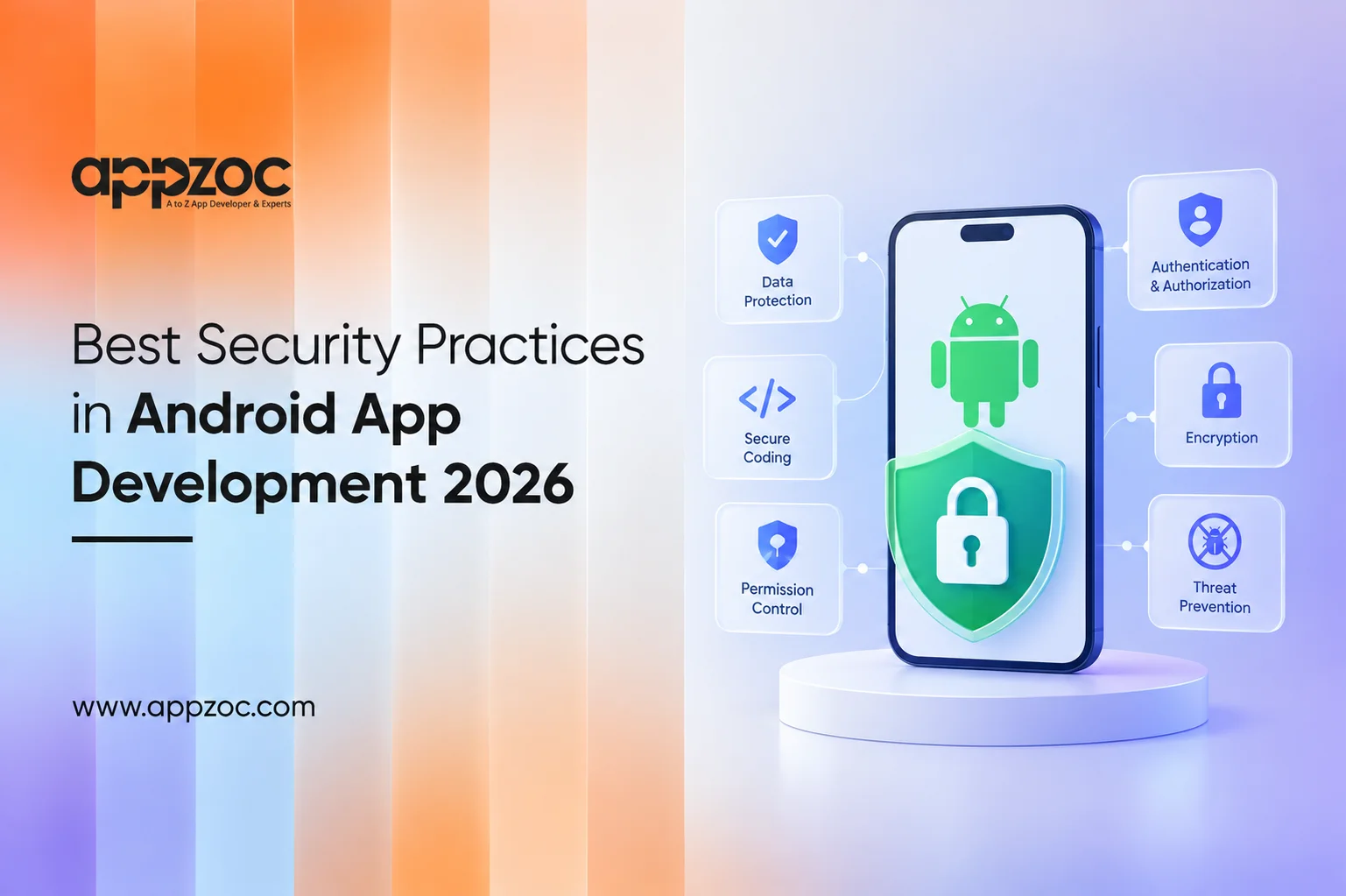
An Android app can perform well during testing and still introduce security risks after launch. A leaked token, poorly secured API, excessive permissions, or an unsafe WebView can expose data that users expect to be protected. Security should not be treated as something to add after development is complete. At that stage, addressing architectural issues can be expensive and disruptive. Build security into the application from the beginning. Request only the permissions the app actually needs, protect sensitive data, secure network communication, use strong authentication methods, review third-party libraries, and test the app together with its backend. For apps handling payments, personal information, or other sensitive operations, controls such as Play Integrity can provide an additional layer of protection. OWASP’s Mobile Application Security Verification Standard (MASVS) provides a useful baseline for areas such as secure storage, authentication, network communication, platform interaction, code security, resilience, and privacy. So, what should developers focus on when building an Android app in 2026? The following areas are a good place to start. Common Security Risks in Android Apps Security problems often result from several smaller weaknesses rather than a single major flaw. Some of the most common risks include: Excessive permissions: Requesting access to contacts, location, files, or other data that the app does not actually need increases the potential impact of a compromise. Weak authentication: Poorly designed authentication, session management, or account recovery processes can increase the risk of unauthorized account access. Insecure data storage: Storing sensitive information insecurely on the device can expose it if an attacker gains access to the app’s data or the device. Insecure communication: Sending data without appropriate transport security can expose information to interception. Network communication should use HTTPS and TLS, with the server also validating and authorizing every request. Exposed secrets: API keys, tokens, credentials, signing keys, and other sensitive secrets should not be embedded in the application in a way that allows them to be easily extracted. Unsafe WebViews: WebViews that load untrusted content or expose JavaScript interfaces without appropriate safeguards can create security risks. Android recommends restricting WebView capabilities and avoiding JavaScript interfaces when they are not necessary. App tampering and compromised environments: Attackers may attempt to modify an application or run it in a compromised environment to bypass security controls or abuse sensitive functionality. Securing the APK alone is not enough. Developers also need to consider how sensitive data is handled on the server, how authentication and authorization are enforced, how the application communicates with backend services, how data is stored on the device, and which third-party services and libraries are included. Best Security Practices for Android App Development 1. Collect only the data you need Start with a simple question – does the application really need this permission or piece of data? If it does not, remove it. Collecting less data reduces the amount of sensitive information that could be exposed in the event of a security incident and can also simplify privacy management. 2. Protect sensitive data on the device Passwords, tokens, personal information, and other sensitive data should not be stored insecurely in files, databases, shared preferences, or logs. Android provides platform security features and cryptographic APIs that can be used to protect sensitive information. Developers should use established platform mechanisms rather than creating their own security solutions. 3. Secure every network connection Use HTTPS and TLS for communication with backend services. Android provides guidance and platform features for securing network traffic. However, a secure connection does not make the backend secure by itself. The server should authenticate and authorize every request, validate input, enforce business rules, and verify that the requested operation is permitted. A request should not be trusted simply because it came from the Android application. 4. Use stronger authentication methods Passwords can create challenges for both users and development teams. Android’s Credential Manager supports credentials such as passwords and passkeys, along with federated sign-in options. Passkeys use public-key cryptography. The private key remains with the user’s credential provider, while the service stores the corresponding public key. For applications handling sensitive information or high-value actions, passkeys can provide a strong alternative to traditional password-based authentication. 5. Treat WebView as a high-risk component If an application needs WebView, its capabilities should be restricted to what the application actually requires. Limit the content and domains it can access, avoid enabling JavaScript when it is unnecessary, and do not expose JavaScript interfaces to untrusted content. Android’s security guidance specifically warns against using JavaScript interfaces with untrusted content and recommends safer approaches where applicable. 6. Use integrity checks where appropriate The Play Integrity API can help developers identify potentially compromised apps and devices and assess whether certain requests come from a trustworthy environment. It should be used as one part of a broader security strategy, not as a replacement for authentication, authorization, or secure backend design. For high-value actions, the backend can use Play Integrity results as an additional signal when deciding how to handle a request. Developers can refer to the Play Integrity API documentation for implementation guidance. 7. Review third-party code and test the application Third-party libraries and SDKs are an important part of an Android application’s security surface. Keep dependencies updated, remove components that are no longer needed, and monitor relevant security advisories. Security testing should cover both the mobile application and the backend services it communicates with. The OWASP Mobile Application Security Verification Standard (MASVS) provides a useful baseline for reviewing areas such as secure storage, cryptography, authentication, network communication, platform interaction, code security, resilience, and privacy. It can help development teams identify security requirements and areas that need further testing. Android App Security Checklist for Developers Before release, ask: Are unnecessary permissions removed? Is sensitive data protected at rest? Is all network traffic appropriately secured? Are authentication and authorization enforced by the backend? Are API keys and other secrets handled securely? Are WebView capabilities restricted? Have third-party dependencies been reviewed? Are debug logs free from sensitive information? Has the app been tested for common mobile security risks? Are high-value actions protected against abuse and tampering? If several of these questions cannot be answered confidently, the application may need further security review before release. Security also depends on the development team’s approach to architecture, implementation, testing, and ongoing maintenance. An experienced mobile app development team should be able to explain how the application handles API security, authentication, data protection, testing, and post-launch security updates rather than treating security as a checklist completed just before release. Businesses looking for an Android app development company in Kerala can consider Appzoc for Android application development. The company works with businesses on native Android applications, including architecture, UI/UX Design, testing, and ongoing maintenance. Conclusion A secure Android app is not created by adding an encryption library or running a security scan just before launch. Security decisions should begin with the application’s architecture. Before development starts, teams should identify what data the app will store, how that data will be accessed, how users will authenticate, which backend services will be involved, and how the application will be monitored and maintained after launch. Businesses planning an Android application, should consider these decisions alongside with the user experience, performance, scalability, and business requirements. A strong security approach starts during planning & continues throughout development and maintenance.
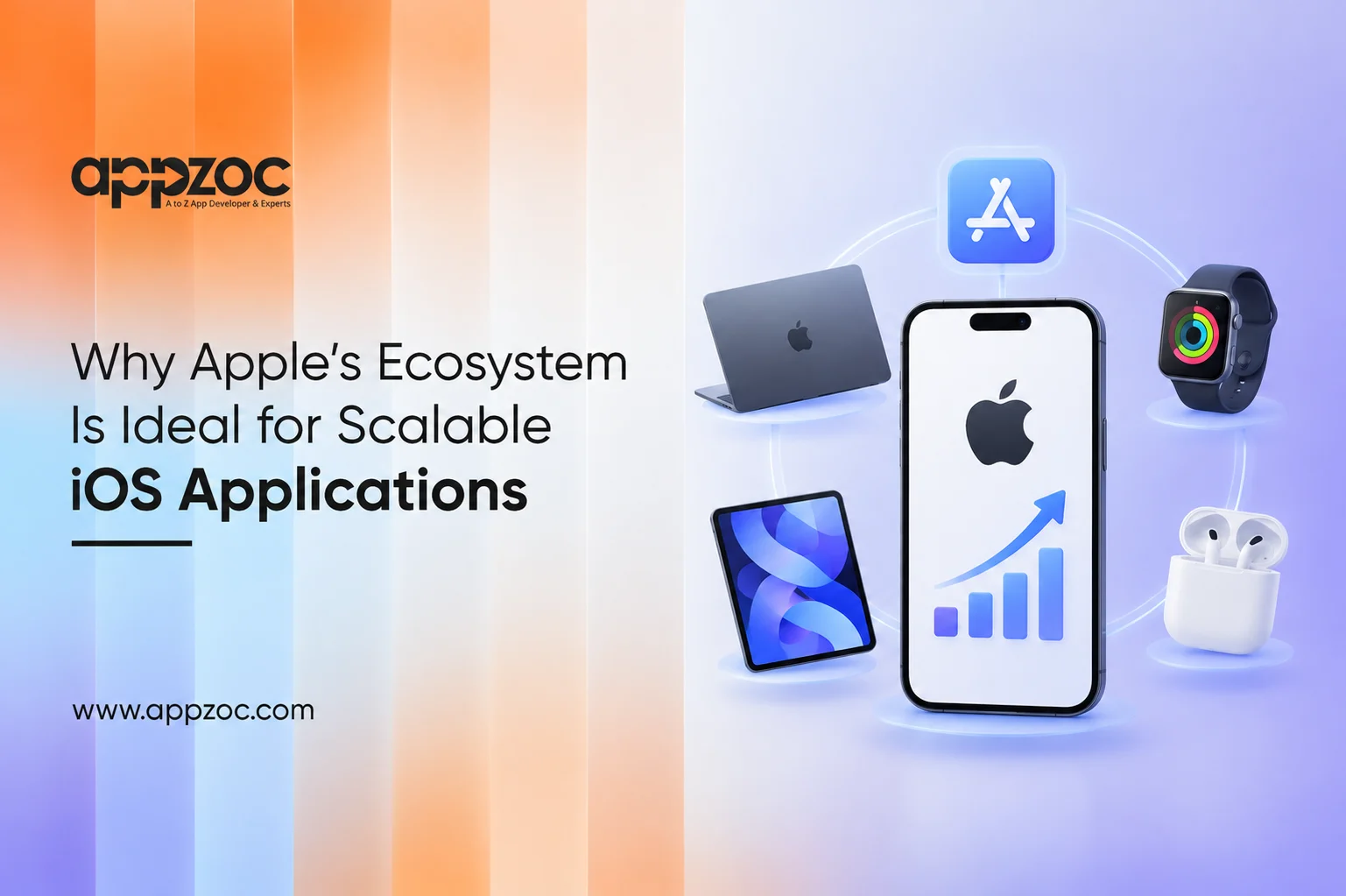
An iOS app may begin with a few thousand users, but maintaining it can become more complex as the user base grows. As usage increases, the app needs to handle more data, devices, integrations, and features, which can also introduce more points of failure. This is where Apple’s ecosystem offers a practical advantage. Apple controls the operating system, hardware, development tools, design standards, and distribution environment. That does not guarantee scale. It gives you a more stable base for further development. If you wish to have an iOS app that can scale, build for Apple from the start. Use Apple’s own frameworks when appropriate, design for all devices, make the backend scalable, test on real devices, and work within the App Store’s guidelines and treat it as your distribution channel. What is so special about Apple’s ecosystem? The Apple ecosystem is tightly connected. Apple’s platforms, including iPhone, iPad, Mac, and Apple Watch, share core technologies. To developers, it means building for several platforms on a common set of technologies, though each platform still needs its own design and testing. Apple offers: Swift and SwiftUI for native development Xcode to develop, test, debug, and distribute applications Human Interface Guidelines to design applications for every platform App Store Connect to publish and manage applications TestFlight to beta test applications Frameworks for payments, notifications, health, location, authentication, and system integrations Once an application is ready to launch, the App Store gives it a large distribution channel. The real benefit is the consistency that comes from developing applications for a single ecosystem. Developers are working within a defined set of hardware and software environments, which makes testing and optimisation more manageable than supporting a wide range of varied device configurations. How Apple’s Ecosystem Supports App Scalability Scalability means handling more users and data, and adding features and complexity, without a matching rise in maintenance effort. Apple’s platform enables this in various ways: Multiple Apple platforms: Based on your application’s design and dependencies, multi-platform development within Apple’s ecosystem can allow you to expand your product to other Apple platforms. Native frameworks: You can use Apple’s native frameworks for functions that the platform already supports, instead of adding third-party dependencies. TestFlight: You can distribute your application’s beta versions to internal and external testers, so that you can observe how your product behaves with a broad audience before launch. This reduces the chance of crashes, usability issues, or incompatibilities affecting your production application. System integrations: Technologies such as CloudKit, App Intents, the Apple Push Notification service, StoreKit, and Core Data support cloud data sync, system-level actions, notifications, in-app purchases, and local data storage. None of this removes the need for well-structured engineering practices. A badly structured application will still become difficult to maintain. Apple’s ecosystem provides the foundation. The development team has to build on it properly. The Role of Apple Intelligence in Modern Apps Apple Intelligence creates another opportunity for developers. Instead of keeping every intelligent function inside an app’s own interface, developers can connect to certain app capabilities with Apple’s broader system experience. Apple’s Foundation Models framework gives developers access to Apple’s on-device foundation model through Swift APIs. With iOS 27, it also covers Apple’s model on Private Cloud Compute and third-party model providers. Apple also provides App Intents, which can make app actions and content available to system experiences such as Siri, Spotlight, Shortcuts, and Apple Intelligence. This can support features such as: Natural-language interaction with app functions Text generation and transformation Summarisation Intelligent content processing App actions triggered through system experiences On-device AI functionality where appropriate For scalable applications, this is important because new capabilities can become part of the wider user experience instead of sitting behind another function in the app. There is also a practical benefit to processing appropriate tasks on the device. Not every interaction needs to send data elsewhere for AI processing. Developers will still have to consider model limitations, device compatibility, privacy, and performance when using this approach. How to Build an iOS App That Can Scale The biggest scalability mistakes tend to happen before launch. Start with the architecture. A scalable iOS application needs: Modular architecture: Decouple core functions so that changes to one area of the application don’t destabilize everything else. Scalable backend services: Your iOS client shouldn’t carry work that belongs on the server. Authentication, logic, databases, APIs, and infrastructure all need separate strategies for scaling. Efficient data handling: Limit unnecessary network requests, large downloads, excessive background processing, and inefficient local storage. Adaptive interfaces: Your UI shouldn’t assume a particular screen size, orientation, accessibility settings, or device type. Real-device testing: While simulators are useful during development, testing on real devices is still important before shipping. Release planning: A scalable application needs a process for crash monitoring, dependency updates, iOS version support, security fixes, and App Store submissions. Application size also deserves attention. Apple provides guidance on reducing app size because smaller apps reach more users and install faster. Benefits of Building Within the Apple Ecosystem For businesses, the practical benefits include: Consistent platform standards Native access to Apple technologies Mature development and testing tools Opportunities to extend applications across Apple devices App Store distribution System-level integrations through technologies such as App Intents Clear design and review requirements There is another advantage that might not be so obvious. Planning for the broader ecosystem from the start reduces later rework. That does not mean that every app must support every Apple technology; in fact, it is better to avoid the temptation to bloat your application with unnecessary technologies. Instead, select the tools that best fit the problems you and your users need to solve. Challenges to Consider Apple’s controlled ecosystem has a direct impact on how iOS applications are designed, developed, and maintained. Every app and update submitted to the App Store goes through Apple’s review process. Applications that do not meet its requirements may be rejected. The App Review Guidelines cover areas such as safety, performance, business practices, design, and legal compliance. Understanding these guidelines early can help development teams avoid issues during the submission process. Developers can also refer to our guide, Common Reasons Why iOS Apps Get Rejected by Apple, for a closer look at common issues that can lead to App Store rejection. There are other practical concerns: Supporting new iOS versions requires ongoing maintenance. Testing across supported devices takes time. Native development requires specialised skills. Apple-specific capabilities can increase development effort. Changes to platform frameworks can necessitate updates to existing features. Poor architecture can lead to performance and maintenance issues. Choosing Apple does not remove technical risk. It gives developers a framework with defined tools and platform standards. How well the team implements the app determines how much technical debt it carries as it grows. Designing with scalability in mind also involves avoiding the temptation to overbuild. A product does not need every Apple framework on day one. It needs an architecture that can take on the capabilities it will require later. As a mobile development company in Bangalore, Appzoc works with businesses to plan and develop mobile applications around their product requirements that target users, and long-term goals. The team considers factors such as application architecture, backend integration, testing, and future updates during the development process. Appzoc also provides iOS app development in Bangalore, with a focus on native iOS applications built using Apple’s development tools and technologies. The approach is designed to give businesses a solid technical foundation that can accommodate new features and changing product requirements as the application grows. Conclusion Apple’s ecosystem offers developers a controlled environment, mature development tools, native frameworks, and an opportunity to expand applications across devices and user experiences. However, the ecosystem alone does not deliver a scalable application. The difference lies in design and implementation that account for future requirements. Sound architecture, a backend that supports scale, testing, data management, and a sensible release strategy are no less important than the technical tools provided by Apple. Businesses looking to develop iOS applications should begin the conversation about application requirements around future state and not just the initial launch.
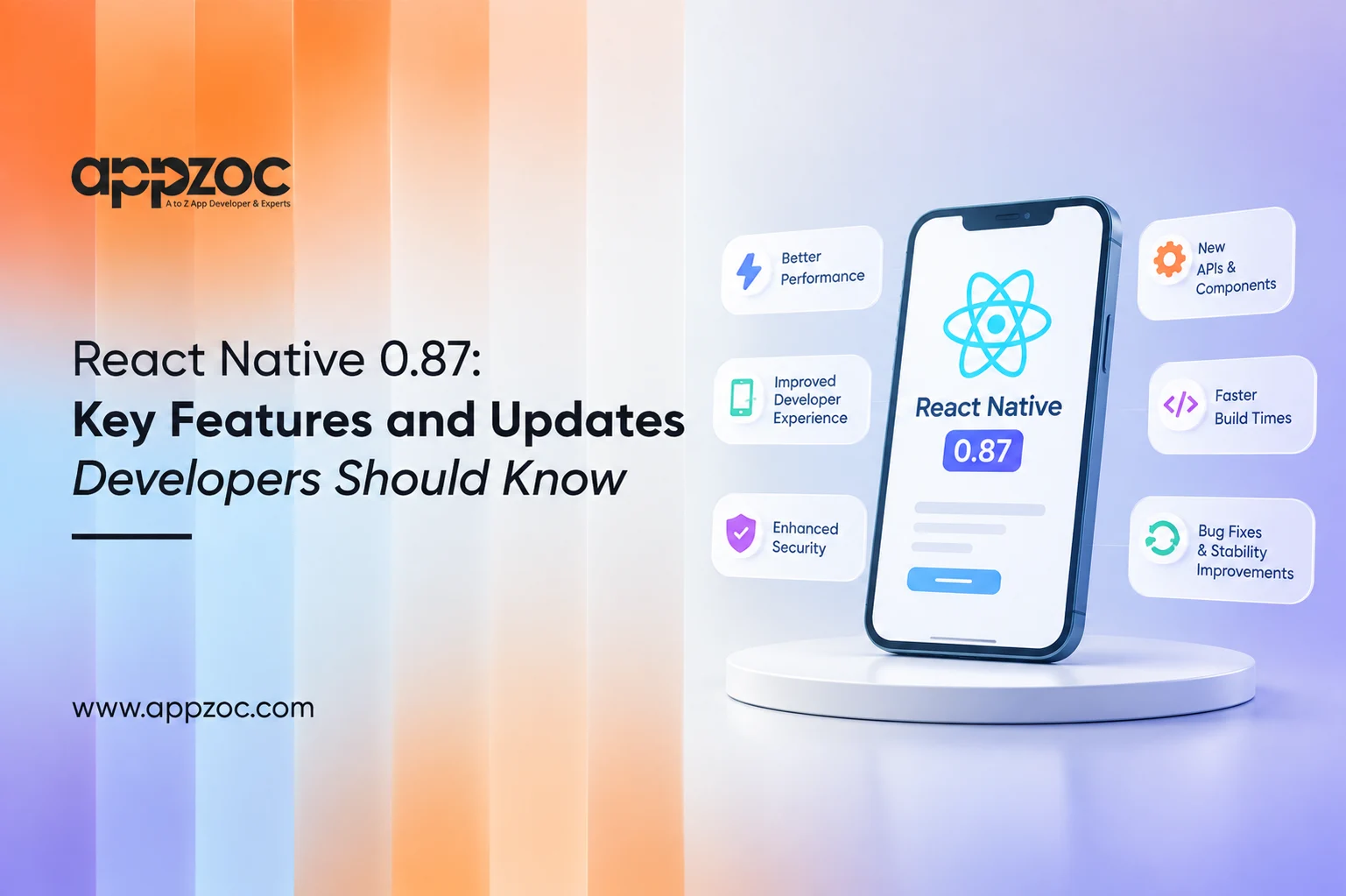
A React Native upgrade can fail at the toolchain level before it reaches your code. You bump the version, and the build fails on a Node check, a Gradle flag, or a TypeScript error in a file nobody has opened for a year. React Native 0.87 follows that pattern. It adds several features while raising the minimum requirements for every project. Five checks cover the React Native 0.87 breaking changes that can affect your build, types, runtime code, and iOS code. Run them in this order: Node.js 22.13 or higher, the two AGP 9 flags in gradle.properties, deep imports that now cause type errors, calls to the removed InteractionManager, and bare header imports in native iOS code. The sections below explain how to address each issue. What’s New in React Native 0.87? React Native 0.87 shipped on August 11, 2026, with 265 commits from 74 contributors. The release post highlights four major changes: the Strict TypeScript API becoming the default, Metro 0.87, experimental Swift Package Manager support for iOS, and support for Android Gradle Plugin (AGP) 9. If you are running 0.84.x, that version is now unsupported. The release post also states that 0.87 would reach Expo projects through expo@canary releases. One more release matters. The legacy TypeScript opt-out will remain available through 0.88 and is planned for removal in the following release. Teams should use this period to complete the migration. Key Features and Improvements Strict TypeScript API The types now come directly from React Native’s source code. Previously, maintainers wrote them separately, which meant they could drift from the actual implementation. The API covers only what React Native exports from its root, so changes to internal files no longer affect the types. Refs also get dedicated types, such as ViewInstance and TextInputInstance. Metro 0.87 The release post reports that source map generation is 2x faster and memory usage is reduced by half. It also links the faster source maps to quicker React Native DevTools loads. These are figures reported in the release post, not independent benchmarks, so measure the impact on your own repository. Configuration files can now use TypeScript or ESM, such as metro.config.mts. YAML configuration files and .es6 files are no longer supported. Swift Package Manager In an existing app, run npx react-native spm --deintegrate once to remove the existing CocoaPods integration and set up Swift Package Manager. After a fresh clone or in CI, run npx react-native spm before building. This removes the need for Ruby, Bundler, and CocoaPods for the Swift Package Manager setup. The release post marks Swift Package Manager support as experimental and recommends keeping it out of production for now. CocoaPods remains the default. A community library must include a Package.swift file to work with Swift Package Manager. If it does not, you can generate one with npx react-native spm scaffold. Test the setup on a separate branch before using it in your main project. AGP 9 React Native 0.87 is the first release with support for AGP 9. The React Native team currently recommends opting out of two AGP 9 behaviors. Changes Developers Should Consider Run these five checks in order. Node and Kotlin. Node.js 22.13.0 or higher is required. Update your CI images first. On Android, Kotlin 2.0 or higher is required, and compileSdk and buildTools must be set to 37. Gradle flags. Add the two AGP 9 lines mentioned above. Library authors must target compileSdk 34 or higher. Deep imports. Imports from react-native/Libraries/* now cause type errors. Update these imports to use supported public APIs. If you cannot migrate immediately, you can set customConditions in tsconfig.json. This opt-out affects TypeScript analysis in your own project, while apps and libraries can migrate independently. Replace *Properties aliases, such as ViewProperties, with the corresponding *Props types. Removed APIs. InteractionManager has been removed, so use requestIdleCallback instead. The animated prop on Modal, the backgroundColor and translucent props on StatusBar, and boolean values for keyboardShouldPersistTaps have also been removed. useColorScheme() now returns a color scheme name or null and no longer returns 'unspecified'. ImageBackground is deprecated but has not been removed. Consider using a View with an absolutely positioned Image instead. iOS headers. Native modules that import React Native headers without the required namespace must be updated. For example, change #import <RCTAppDelegate.h> to #import <React/RCTAppDelegate.h>. Tooling has changed as well. The rn-get-polyfills package has been removed, so use @react-native/js-polyfills instead. Connecting the standalone react-devtools package over WebSocket is no longer supported. Use React Native DevTools instead. You should also check your Jest setup. The old fallback for the Jest preset has been removed, so install @react-native/jest-preset as a package. Before changing your app code, check your dependencies and use the React Native Upgrade Helper to review the file differences between versions. Libraries add support on their own schedules, so check the compatibility requirements for your major dependencies before upgrading. Choosing the Right Approach for a React Native Upgrade React Native upgrades can affect both the JavaScript codebase and the native Android and iOS projects. Before moving to 0.87, it helps to check the current React Native version, dependencies, build tools, and native configurations. Appzoc is a native app development company in India, based in Kochi that develops native iOS and Android applications for different business requirements. As a mobile app development company, Appzoc also develops cross-platform applications using technologies such as React Native and Flutter. For existing React Native projects, reviewing the current dependencies, build configuration, and native setup before an upgrade can help identify compatibility issues and ensure a smoother migration to React Native 0.87. Conclusion React Native 0.87 is primarily a maintenance-focused release, and that is fine. The change that matters most is that the Strict TypeScript API is now enabled by default, making TypeScript type checking stricter without additional setup. On the tooling side, iOS gets opt-in, experimental Swift Package Manager support, while CocoaPods remains the default. React Native 0.87 is also the first release with support for Android Gradle Plugin 9. Some APIs have also changed. InteractionManager has been removed in favour of requestIdleCallback, while ImageBackground is deprecated. Check how your project uses these APIs before upgrading. It is also worth running your types against the new API and checking whether your dependencies, including libraries such as Reanimated, support React Native 0.87 before committing to the upgrade.
We are a team of highly dedicated and talented bunch of mobile app developers who are ready to do whatever it takes to ensure that the full mobile potential of your business is realized. Be it iPhone, Ipad or android device. We offer the best services for Android, iOS, and cross-platform apps from our app developers in Kerala. Appzoc, with more than 9 years of expertise, is regarded as the top mobile app development company, and we are renowned for offering a wide variety of App development services. We are dedicated to providing our clients with exceptional application arrangements. Appzoc’s iOS and Android app developers have developed mobile applications for a number of successful online businesses.
Mobile App Development Company in Kerala
As one of the top App Development Company in Kerala, the quality, execution, and effectiveness of Appzoc’s items and services are a demonstration of their obligation to these factors. No matter what your idea is, we have the expertise to bring it to life. If you are looking for a reliable partner, Appzoc is the trustworthy partner to create a high-quality project that fits your needs. We are here to design and build your mobile or online project.
Over the years, by developing a number of mobile apps, Appzoc has strengthened its position in the industry and is an excellent choice for ambitious businesses since it offers an extraordinary blend of cutting-edge technology and sure-footed strategies to support business success. In this mobile-first era, we can assist you in setting new standards and developing fresh revenue streams for your company. To bring your brilliant app concept to life with a rich user experience and reliable app performance, we offer end-to-end mobile app development services that have a renowned legacy in the industry.
We are a team of highly dedicated and talented bunch of mobile app developers who are ready to do whatever it takes to ensure that the full mobile potential of your business is realized. Be it iPhone, Ipad or android device. We offer the best services for Android, iOS, and cross-platform apps from our app developers in Kerala. Appzoc, with more than 17 years of expertise, is regarded as the top mobile app development company in Kerala, and we are renowned for offering a wide variety of App development services. We are dedicated to providing our clients with exceptional application arrangements. Appzoc’s iOS and Android app developers have developed mobile applications for a number of successful online businesses.
As one of the top App Development Company in Kerala, the quality, execution, and effectiveness of Appzoc’s items and services are a demonstration of their obligation to these factors. No matter what your idea is, we have the expertise to bring it to life. If you are looking for a reliable partner, Appzoc is the trustworthy partner to create a high-quality project that fits your needs. We are here to design and build your mobile or online project.
Over the years, by developing a number of mobile apps, Appzoc has strengthened its position in the industry and is an excellent choice for ambitious businesses. In this mobile-first era, we can assist you in setting new standards and developing fresh revenue streams for your company. To bring your brilliant app concept to life with a rich user experience and reliable app performance, we offer end-to-end mobile app development services that have a renowned legacy in the industry.
With a team of 50+ highly skilled developers in Kerala, Appzoc is committed to fulfilling all your demands and providing excellent outcomes.With years of experience, our experts and specialists can build superior mobile apps for iOS, Android, or both platforms while adapting to any industry. Partnering with Appzoc ensures top-notch service, cutting-edge technology, and solutions that surpass your expectations. With our creative, bespoke app development solutions and services performed on time and within budget, you may get a competitive edge in the market.
Our developers can implement the newest integration features into apps since they are aware of the most recent technical developments in the mobile space. The technique of creating modern apps with an eye toward the future gives the applications an added edge. For bringing your brilliant app concept to life with rich user experiences and reliable app performance, we, as the mobile application development company in Kochi, Kerala provide end-to-end services.
With the help of our remarkable mobile app development services, you may revolutionize your company by enabling a seamless user experience across all current platforms and gadgets. Working with a skilled mobile application developer, you get predictably successful results. We ensure that your time and investment are maximized at every stage of development through an agile approach and a proactive attitude. You acquire a digital product that completely satisfies your needs and beats your expectations.
Appzoc Technologies Guarantees the following
You can rely on us since our team is constantly striving to give you the best app development services. Despite the fact that our creative team stays updated on the newest technology, design, development, and integration used by mobile development platforms, and support which are all part of the comprehensive suite of application development services. Both consumer-focused apps and innovative enterprise-class solutions are projects we collaborate on with customers. Our developers use creativity and innovation in a special way to create mobile applications that are designed to give exceptional performance. The process of creating effective mobile apps often requires systematic planning, imaginative idea development, and on-time project delivery.
Apart from being the top mobile application development company, we were rewarded as the best app development company in 2019. Our goal is to provide you with not just a solution but a collaboration that extends beyond app development under the efficient team. We have an impressive portfolio of 1000+ successful projects that set standards for performance and efficiency, each of which is a milestone in the journey of our company.
The power of smartphones helps to connect and engage with people worldwide. A secured mobile app solution assists the organization in interacting with its clients and creating enduring connections. Businesses interact with their customers as well as build everlasting relationships. Since the beginning, we are the best Android app development company in Kochi, Kerala. We have effectively deployed world-class technological solutions to help our clients worldwide stay one step ahead of their rivals and expand their companies. We are the backbone of a lot of successful brands across various industry sectors.
Appzoc builds mobile apps that solve real business problems. From idea to launch, and everything after, we handle the full app development process for startups and established companies across Kerala and beyond.
Every business has different needs, and off-the-shelf software rarely fits all of them. We build apps from scratch based on your workflow, your customers, and your goals. Our team studies your business first, then designs an app architecture that supports your current operations and future growth. Whether you need a customer-facing app, an internal tool for your staff, or a platform that connects multiple systems, we build it to match how your business actually works.
We build native iOS apps using Swift, so your app runs fast and feels natural on iPhone and iPad. Our iOS developers follow Apple’s design guidelines closely, which means fewer App Store rejections and a smoother review process. We also handle App Store optimization, so your app is easier to find once it goes live. From fitness apps to fintech platforms, we’ve built iOS apps for a wide range of industries.
Not every business needs two separate apps for iOS and Android. With cross platform development, we use frameworks like Flutter to build one codebase that runs smoothly on both platforms. This cuts development time and cost, without compromising on performance or design. It’s a practical choice for startups that need to launch fast and businesses that want to reach both Android and iOS users without doubling their budget.
An app can have powerful features and still fail if users find it difficult to navigate. As a UI/UX design company in Kerala, we focus on designing mobile experiences around real user behavior, not just visual appeal. Our team maps user journeys, creates wireframes, tests usability, and refines every interaction based on how people actually use the app. The result is a mobile application with intuitive navigation, clear layouts, and a seamless experience from the very first tap.
If you’re testing a new idea, you don’t need every feature built on day one. We help you identify the core features that matter most, build a working version fast, and get it in front of real users. This approach saves budget, reduces risk, and gives you actual user feedback before you invest in a full-scale product.
Large organizations need apps that can handle scale, security, and integration with existing systems. We build enterprise apps that connect with your CRM, ERP, or internal databases, support large user bases, and meet the security standards your business requires. We also plan for future scaling from the start, so the app grows with your organization instead of needing a rebuild.
An app is only as good as what powers it behind the scenes. We build secure, scalable backend systems and APIs that handle your data, user authentication, and third-party integrations. Whether you need a new backend built from scratch or your app needs to connect with existing services like payment gateways or mapping tools, we handle the server-side work so your app runs reliably.
We build apps for smartwatches and other wearable devices, designed for small screens and quick interactions. These apps are built to work alongside your main mobile app, syncing data like health metrics, notifications, or activity tracking in real time.
We develop apps that connect and control IoT devices, from smart home systems to industrial sensors. These apps handle real-time data from connected devices and give users a simple interface to monitor and manage them, whether that’s a single device or an entire network.
Before any app goes live, it goes through structured testing. We check for bugs, performance issues, and usability problems across different devices and screen sizes. Our QA process includes functional testing, performance testing, and security testing, so issues get caught before your users find them.
Getting your app listed isn’t enough if people can’t find it. We optimize your app’s title, description, keywords, and visuals to improve visibility on the App Store and Google Play. This includes ongoing tracking of rankings and adjustments based on what’s actually driving downloads.
Launching an app is just the start. Operating systems update, user needs change, and bugs come up over time. We provide ongoing maintenance, bug fixes, performance monitoring, and feature updates after launch, so your app keeps running smoothly as your user base grows.
We’ve built apps for healthcare, retail, logistics, real estate, fintech, and education. We understand the specific challenges each industry faces, from compliance requirements in healthcare apps to inventory syncing in retail apps.
We don’t outsource our development work. Your project stays with the same team from planning to launch, which means fewer communication gaps and faster turnaround when changes come up.
We provide maintenance, bug fixes, and updates after your app goes live, so it keeps running smoothly as your user base grows and mobile operating systems change.
You get regular updates on project progress, access to our development team, and clear timelines from day one. No black-box development where you only hear from us at the final delivery.